Partner brand
Leyard
When Leyard is the right choice
- Camera capture: broadcast and recording
- Virtual production and XR studios
- Mission-critical control rooms
- Flagship boardrooms
- Premium retail and luxury brands
We match the pixel pitch and brightness to the viewing distance and the light in your space.
Survey, structure, installation, calibration and training — no hand-offs.
Price, warranty, parts and support all come straight through us.


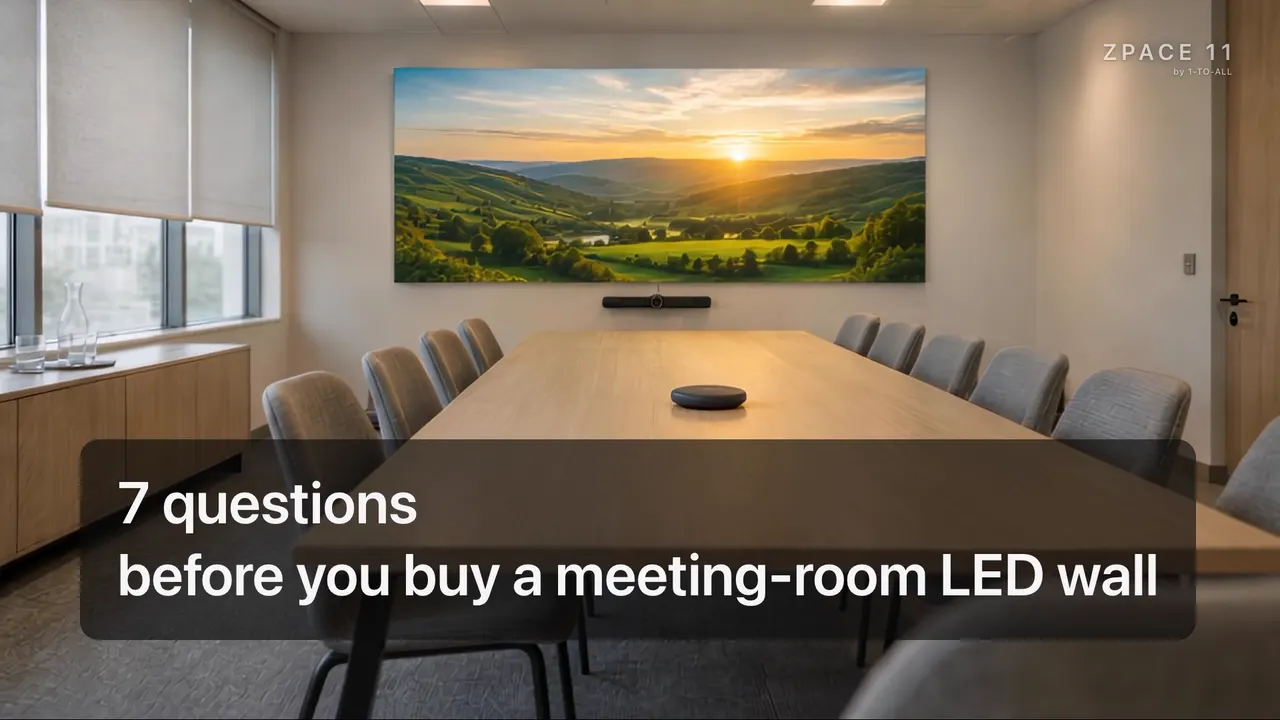
For boardrooms, war rooms and hybrid meetings. No projector washed out by room light, no bezels.

For auditoriums, town halls, lecture theatres and event venues.

For virtual production, immersive training, brand experiences and simulators.

Content on glass that stays see-through: people see the content and the store behind it.
Pixel pitch
Buying guide · 4 minutes
Choose an LED wall by your room, your people and the service behind it. Not by price alone.
Two LED screens, the same size, but one costs only half. Which would you choose? Before you answer, look at what happens after installation. In the next 4 minutes, you’ll get 7 questions to ask before you pay.
An LED wall isn’t a big TV. It’s a system: panels, controller, mounting frame, software and service, that you’ll use for 7 to 10 years.
First: how far is the closest chair? That distance picks the screen’s sharpness, called the P number.
P is the gap between the light dots, in millimetres. Easy rule: with P1.5, sit at least about 1.5 metres away; it looks comfortable from about 2.6 metres. The smaller the number, the sharper the picture, and the higher the price. Don’t pay for sharpness no one can see.
Second: how far is the farthest chair? That distance picks the size. Divide it by 6 for slides and video, or by 4 for detailed numbers. The result is the minimum picture height. But if the room is small, one LCD or interactive display is enough, and often better value.
Third: how bright is the room? The screen should match the room. Brighter isn’t better. A screen that’s too bright hurts the eyes, and the camera makes faces look darker. Ask to see it dimmed: blacks should stay black, and dark details shouldn’t vanish.
Fourth: will this room use Zoom or Teams? Cameras see flicker our eyes can’t. Ask for a refresh rate of 3,840 hertz or more, then test with the room’s real camera. Easiest way: film the screen in slow motion on your phone. If you see rolling lines, it isn’t camera-ready.
Fifth: will people bump or touch it? Meeting rooms always have chairs, people and cleaning cloths close to the screen. If hands can reach it, choose a sealed surface like COB or GOB, which handles bumps and wiping better than an open one.
Sixth: who fixes it in year five? Every screen needs a repair one day. Choose one that’s serviced from the front. Ask for spares from the same production batch, because a different batch won’t match in colour. And ask clearly: are spares kept in Thailand, how fast does an engineer come, and is it written in the contract?
But an after-sales promise is only worth something while the company is still around. Some small companies vanish within a year or two, because they have nothing to lose. A reputable company has to protect its name. And the one who really looks after you is the installer, not the screen brand. So buying an LED wall isn’t a one-off. It’s a long-term relationship, like a marriage. Choose someone you’re sure of.
Before you decide, ask a few more things. Is the showroom really theirs, or borrowed from someone else? Do they have their own support team, ready 24 hours a day, every day, or just someone hired to answer calls? Are the engineers their own, or another company’s? And is the brand they bring well known in the market, or a new company that could close overnight?
Seventh: is the room ready? Before you sign, get the wall, the power and the air-con ready. Thailand is humid: after a long holiday, turn the screen on dim first, then raise the brightness slowly.
In short: choose an LED wall by your room, the people who use it and the after-sales service, not by price alone. And never buy an LED wall from a catalogue. Like buying a TV for your home, go and see the real picture first, because the same specs can give a different picture. Specs to shortlist, eyes to decide.
Come and see real screens with your own eyes at the ZPACE 11 showroom.
Two brands, one team
Leyard is the flagship; Unilumin is the value option when the specification is standard. We help you choose.
Partner brand
When Leyard is the right choice
Value option
When Unilumin fits better
| Application | Recommended | Why |
|---|---|---|
| Virtual production studio | Leyard | High refresh rate and colour accuracy are critical |
| Executive boardroom (premium) | Leyard | Colour consistency shows on video calls |
| Hybrid meeting room (mid-range) | Leyard | Refresh rate matters on camera |
| Conference auditorium | Leyard | Broadcast-grade picture |
| Brand flagship retail | Leyard | Colour is part of the brand experience |
| Mission-critical control room | Leyard | Reliability track record |
| Indoor signage (general) | Unilumin | Cost-efficient at a standard spec |
| Outdoor billboard | Unilumin | Cost-efficient at billboard distance |
| Event and rental LED | Unilumin | Modular and quick to deploy |
| Mall public-area signage | Unilumin | Many zones within budget |
Controllers
NovaStar controllers, video wall processors and media players, chosen and set up by our engineers.
End-to-end delivery, not just hardware.
Free tool
Try LED walls and interactive displays in your own room. Works on any phone.
Try it in your roomLeyard for broadcast-grade quality, virtual production and premium boardrooms. Unilumin for outdoor billboards, stadiums, large auditoriums and budget-conscious projects.
Yes. A meeting-room LED wall takes the video conferencing system’s output over HDMI, SDI or NDI. It works like any display, with a far better picture in a brightly lit room.
Our engineers visit, measure the space and check the light, then recommend the right setup. The survey is free.


